8.0
What’s New in BetterCanvas
We’ve been busy making your study sessions smoother and your dashboard more intuitive. Here’s a breakdown of the latest updates to help you stay on top of your semester.
You can update manually by going to “chrome://extensions”, turning on developer mode, and clicking Update!
📚 Study & AI Upgrades
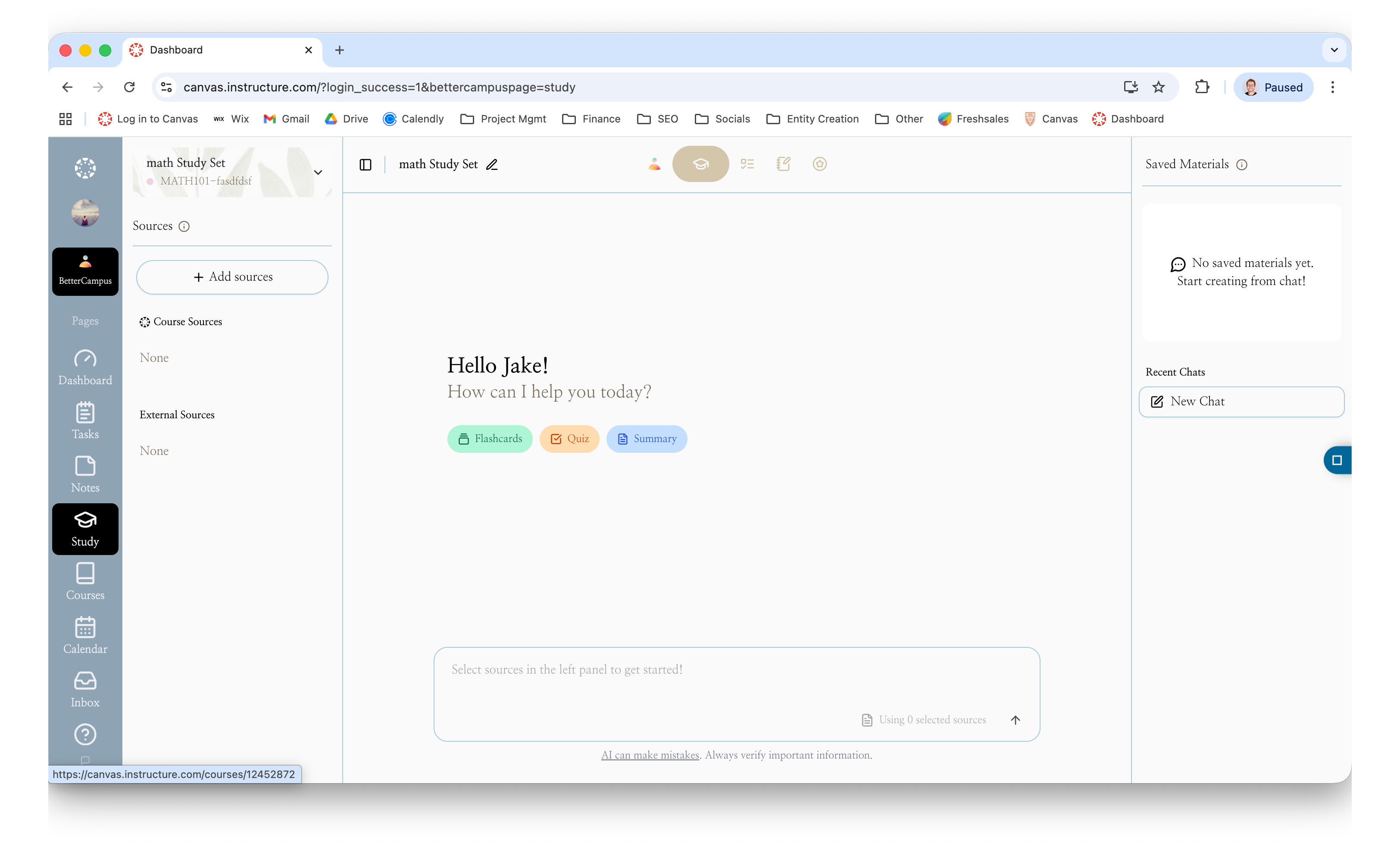
New "Learn" Page: We’ve launched a dedicated study hub! You can now turn your course materials—like past quizzes, notes, and readings—directly into AI-generated flashcards, adaptive quizzes, or study guides tailored to your specific goals.
Better Source Control: You can now easily delete old study materials with the new trash icon and exit the source selector even if you haven't picked anything yet.
"Explain My Answer" Fix: The AI explanation tool is back up and running to help you understand the "why" behind your practice questions.
AI Transparency: We added an AI Nutrition Card (just click the "AI can make mistakes" link) so you can see exactly how our models process your data.
Dark Mode Contrast: We bumped up the contrast on the "Send" button so you can see it clearly during those 2:00 AM study grinds.
🗓️ Task Planning & Organization
Smarter Calendar Adding: When you click "Add Task" on a specific day in your calendar, it now defaults to that date automatically. No more manual clicking to change the due date from "Today" to the day you actually clicked.
Fixed Notifications: We squashed a bug where in-app reminders wouldn't go away after you dismissed them. Your screen stays clean now.
Activity Tracking: We’ve laid the groundwork for better Activity Insights, which will soon show you your most active study hours and help you track your on-time submission streaks.
🎨 Themes & UI
Scroll Bug Fixed: Ever close the theme menu and realize you couldn't scroll the page anymore? That’s fixed—no more refreshing the page just to move down.
Trending Themes: The "Trending" section now correctly shows what’s popular, even on fresh installs.
Cleaner Sidebar: We cleaned up some messy code that was showing up in the Sidebar while you were creating custom themes.
💳 Plan & Account Updates
Clearer Upgrades: We updated the "Style+" plan to be more straightforward—no more confusing trial text if you’ve already used one.
Cleaner Design: We’ve polished the "Paywall" screen to be less distracting, highlighting the features you actually care about like Auto Notes and Unlimited Tasks.
Updated Footer: It’s officially 2026! We’ve updated the site to reflect the new year.