7.5.0
You can update manually by going to “chrome://extensions”, turning on developer mode, and clicking Update!
🧭 navigation and layout
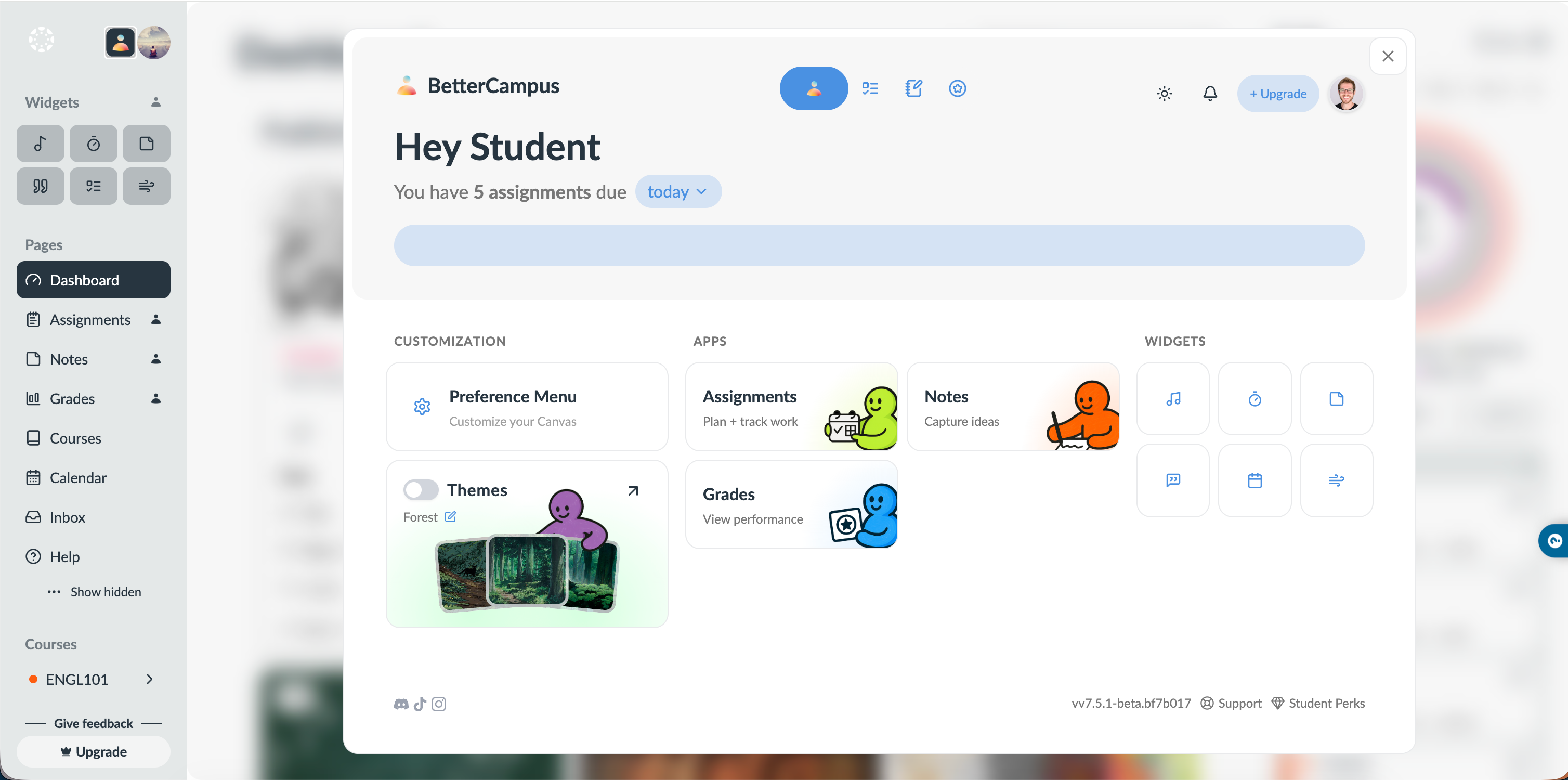
clicking the bettercampus logo now opens our home screen (click again to close it)
you can close the home screen by clicking outside of it
sidebar icons and text are larger and closer to default canvas sizing
widgets and popups now appear above the sidebar instead of hiding behind it
clicking the 4-square widgets icon also closes the widget tray
you can place multiple widgets at once instead of reopening the menu every time
smoother page transitions when opening bettercampus pages from the sidebar
less motion overall on busy pages, replaced with simple hover states
🎨 themes and appearance
new system theme option for dark and light (follow your device theme)
improved contrast for settings menus in light and dark mode so switches are easier to see
updated toolbar and floating bottom bar to match our latest designs
theme and preferences now open in a floating view and can shrink the home screen instead of feeling like a totally separate space
📅 planner, calendar, and tasks
assignments are now color coded on calendar view so you can scan faster
calendar month view is cleaned up and matches the rest of the planner
planner view and due view both got ui fixes so scrolling, boxes, and spacing feel more natural
“you have x assignments due” now matches your to do list count
planned task checkboxes are clearer, and you can unplan events properly
🎓 grades and classes
grade calculations are more accurate and grade scaling bugs are fixed
default plus/minus scale is updated to match what most schools actually use
school grading system links now work
clicking your grade in the top left opens our detailed grade page for that class
from grades, you can jump into our assignment editor or open the original canvas assignment in one click
class time updates now save correctly instead of keeping the old time
weighted gpa now shows a tooltip that reminds you to mark honors or ap classes individually
📝 notes and content
fixed a major issue where notes could duplicate, overwrite, or delete other notes
“card images” are now called “card visuals” to better match how they are used
cleaned up how tasks under cards and card tasks look so they are easier to read
🔐 login, access, and locks
microsoft login logo is now visible and clear
any remaining “bettercanvas” text is now updated to “bettercampus”
lock icons now mark pages, planning tools, and widgets that are paid features
improved “blocked on school wifi” screen with clearer next steps and a one-click email to ask for bettercampus to be unblocked
🧩 chrome and canvas behavior
if you hide the bettercampus logo from the canvas sidebar, we now walk you through pinning it from the chrome puzzle icon so you do not lose it
when you click the extension from the chrome puzzle menu on a non canvas site, we tell you to head to canvas instead of doing nothing
fixed a bug where reloading or duplicating a tab on a bettercampus page inside canvas could break the page
improved behavior on chromebooks where the popup sometimes would not open correctly
better support for schools with non standard canvas urls so the extension works in more places
🧼 general polish
footer with socials, version, and help appears on more pages
discussion links now go to the correct discussions page instead of assignments
notifications show up in the right places instead of random popups
lots of small ui and scrolling fixes across planner, grades, sidebar, and settings